
We are upgrading from SQL Server 2005 to 2012. There are a lot of features for developers that have been added over those 7 years. Here are some you might find useful.
1. You can assign a value to a variable when you declare it.
DECLARE @Status varchar(50) = 'Success', @Today Date = Getdate()2. You can insert multiple rows without needing to repeat the column list
INSERT INTO MyTable ( ID, LastName ) VALUES
( 100, 'Smith' ),
( 200, 'Jones' ),
( 300, 'Watson' )
(Up to 1,000 sets.)
3. Among the new data type there are DATE and TIME types.
No more having to use a DateTime when all that you really want is a date.
DECLARE @Today Date = Getdate()4. IIF() function
SELECT IIF(1 > 10, 'TRUE', 'FALSE' )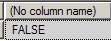
You can also use the IIF() with an IN
DECLARE @LastName Varchar(50) = 'Smith'
SELECT IIF(@LastName IN ('Smith','Jones'), 'Likes SQL', 'Likes ORACLE' )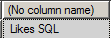
5. CHOOSE() function
CHOOSE ( index, val_1, val_2 [, val_n ] )
SELECT CHOOSE(3,'Spring','Summer','Autumn','Winter')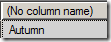
6. CONCAT() function
CONCAT( string1, string2 [,stringN])
– All arguments are converted to a string first
– All nulls are converted to an empty string
DECLARE @FirstName VARCHAR(20) = 'Bob',
@LastName VARCHAR(20), @Age int = 30

SELECT CONCAT(@FirstName, ' ', @LastName, ' is ', @Age)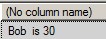
7. You have the “C” like short cuts +=, -=, *=, /= and %=
DEClARE @x INT = 2,
@y INT = 2

SET @x += @y
SELECT @x as x, @y as y
8. Paging is now much easier with OFFSET and FETCH NEXT
DECLARE @PageNumber int = 4,
@PageSize int = 40

SELECT WNumber, AuditTime, AuditTypeCode, ActivityCode
FROM tb_AuditLog
ORDER BY AuditTime DESC
OFFSET (@PageNumber – 1) * @PageSize ROWS
FETCH NEXT @PageSize
ROWS ONLY;
9. FORMAT() function
SELECT FORMAT( GETDATE(), 'dd/MM/yyyy', 'en-US' ) AS 'DateTime Result',
FORMAT(123456789,'###-##-####') AS 'Custom Number Result';
10. TRY_PARSE()and TRY_CONVERT() functions
IF TRY_PARSE('xxx' as DATETIME) IS NOT NULL
    SELECT 'TRY_PARSE: Conversion Successful'
ELSE
    SELECT 'TRY_PARSE: Conversion Unsuccessful'

11. You can now create your own types in the database (just like VARCHAR and INT are types.) You can even define a table type.
CREATE TYPE IdsTable AS TABLE ( Id INT );(Could have many more columns.)
You can then pass that type as a parameter to a stored procedure.
CREATE PROCEDURE GetSelectedAccounts
@MyIds IdsTable READONLY
AS
    SELECT *
    FROM Accounts
    WHERE AccountID IN (SELECT Id FROM @MyIds)

GO
You can also pass the table in as a parameter from C#.
DataTable myIds = new DataTable();
myIds.Columns.Add("Id", typeof(Int32));
myIds.Rows.Add(100);
myIds.Rows.Add(110);
myIds.Rows.Add(2200);
myIds.Rows.Add(40);

dbCommand.Parameters.Add(new SqlParameter("@MyIds", myIds)
        { SqlDbType = SqlDbType.Structured });
DataSet ds = (DataSet) Db.ExecuteDataSet(dbCommand);
12. TRY CATCH THROW
BEGIN TRY
    DECLARE @Number int = 5 / 0;
END TRY
BEGIN CATCH -- Log the error info, then re-throw it
    INSERT INTO ErrorLog VALUES(SYSDATETIME(), ERROR_SEVERITY(),
    ERROR_MESSAGE());
    THROW;
END CATCH
When you re-throw, it keeps the correct line number of the error.
This can also be used with transactions.
BEGIN TRY
    BEGIN TRANSACTION
    UPDATE #TestingTHROWCommand
    SET OvertimeAmount= 95 / OvertimeAmount
    COMMIT TRANSACTION
END TRY
BEGIN CATCH
    ROLLBACK TRANSACTION;
    THROW
END CATCH
13. New virtual Windows FileTable commands in T-SQL let you manage a folder like a table of documents, but still have external control over the contents
UPDATE C:\Docs\*.*
SET ReadOnly = 1
WHERE Author = ‘Bob’ AND Created < ’20100101';
14. Reporting Services no longer requires IIS, it makes direct calls to HTTP.SYS.
15. Now have Oracle like sequences
CREATE SEQUENCE MySequence
START WITH 1 INCREMENT BY 1;
INSERT @Person (ID, FullName)
VALUES (NEXT VALUE FOR MySequence, 'Steve Luna'),
(NEXT VALUE FOR MySequence, 'John Peter'),
(NEXT VALUE FOR MySequence, 'Larry Baker');